On this page +
Trade routes
Trade is where County of Fortune stops being a set of towns and becomes a county. Roads carry light goods, rivers carry heavy goods, and markets turn a surplus in one settlement into a lifeline in another. Most trade problems are infrastructure problems, not bug reports.
Transport modes
| Mode | Built with | Best for | Limits |
|---|---|---|---|
| Dirt road | Road tool (V) | Short local links, light goods | Low capacity and speed; degrades without maintenance |
| Stone road | Upgrade road with stone and a mason’s guild | Busy regional arteries | Costs stone and masonry maintenance |
| Small market | Commoner building slot | Land trade between regions | Does not move heavy goods across regions |
| Raft port | Level-two building on a navigable river | Heavy goods downstream | Downstream only in the demo; not at a river fork |
| Port / sailboat | Early Access port building | River trade both directions | Not available in the demo |
Setting up land trade
- Reach level two in a settlement in each region you want to connect.
- Build a small market in the sending region. If the receiving region has no raft port, build a small market there too.
- Connect the regions by road. The road must reach the yellow central market square of each settlement, not just the settlement edge.
- Build bridges where needed. Use the bridge tool before drawing the road across water.
- Open trade with T, choose the product, drag from the origin region to the destination and create the route.
- Enable auto-trade or set a fixed annual volume. Auto-trade adjusts to demand, which is usually the better starting choice.
If the road is connected but the route still shows nothing, confirm that the origin has a surplus. A route cannot transport goods that do not exist, and a settlement that consumes all of its own output has nothing to export.
River trade and raft ports
Rivers are the heavy freight network. A raft port turns a river settlement into a trade hub, but only if the geography works:
- Rafts move downstream only in the demo.
- Heavy goods — logs, stone, clay and sand — cannot be traded between regions by road. They need the river.
- Do not build the port at a river fork. Choose a clear stretch of the main channel.
- Both ends need a raft port for river-to-river trade.
- A raft port can receive land goods if the sending region has a small market.
In Early Access, ports and sailboats allow goods to travel both upstream and downstream. That removes the biggest geographic constraint of the demo, but it also means older downstream-only advice will not apply to every launch build.
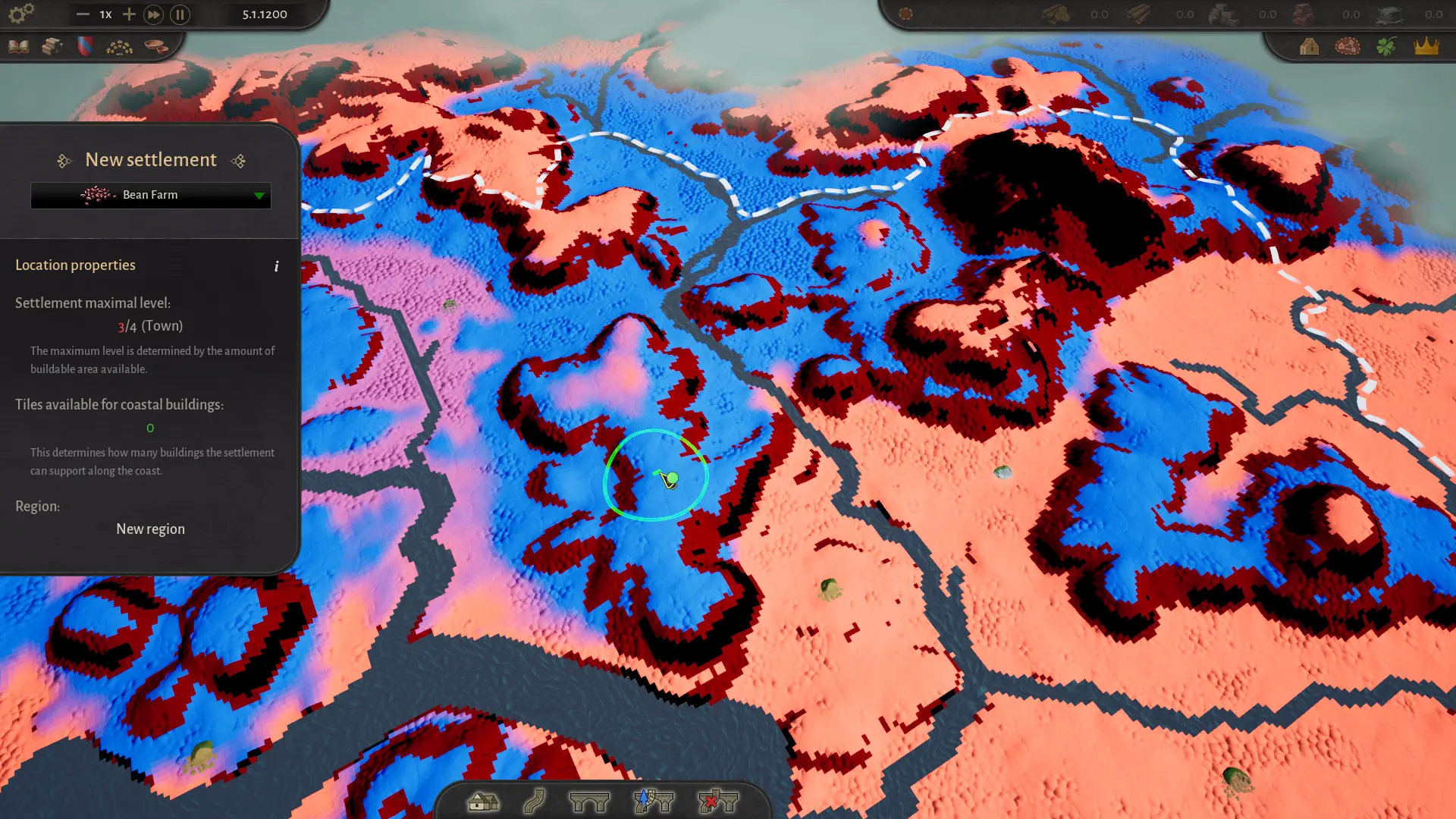
Open the settlement placement view and zoom in on the river to see which way it flows. A beautiful riverside town on the wrong side of the current can still trade locally, but it cannot send rafts upstream.
Using the trade screen
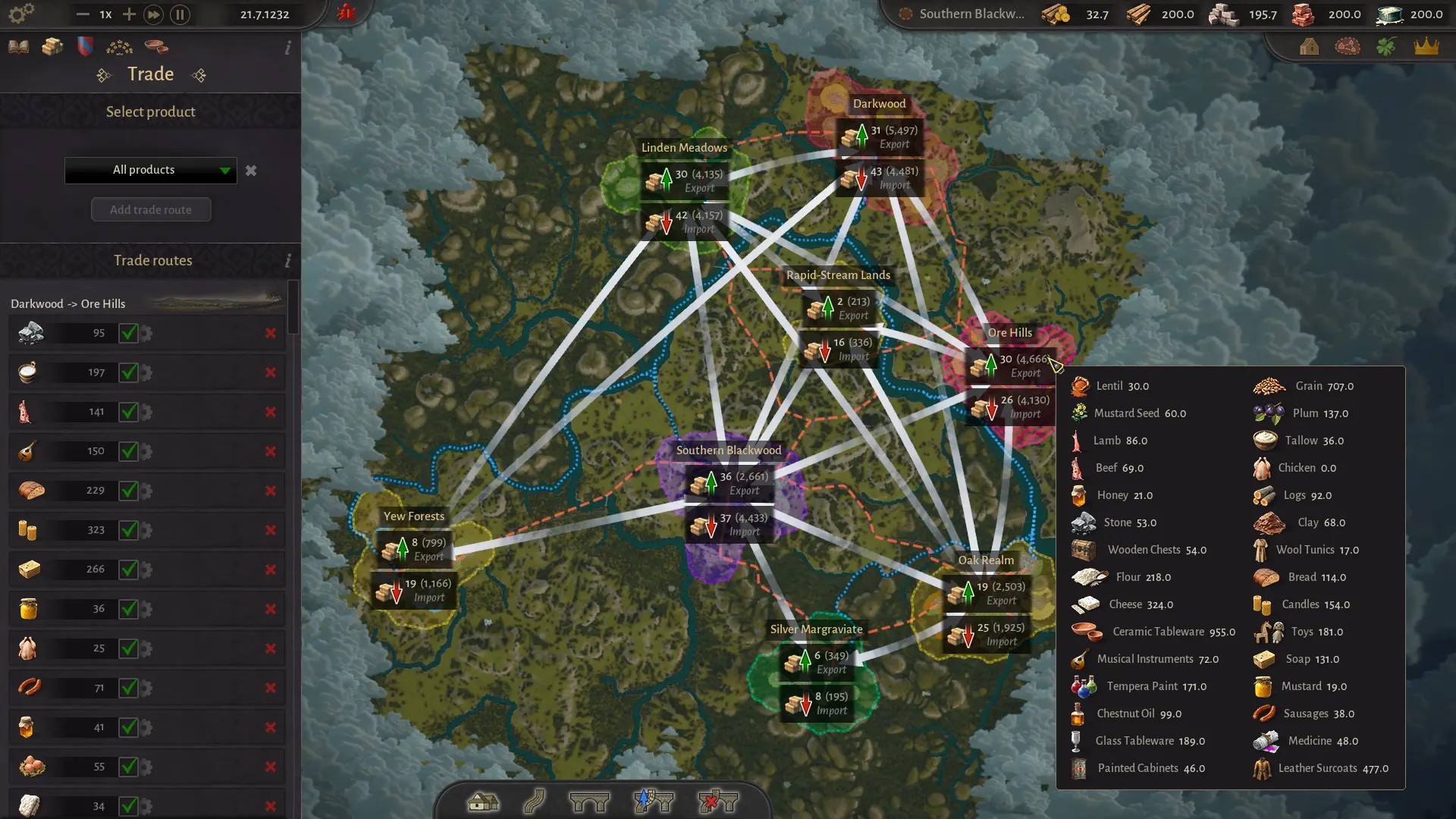
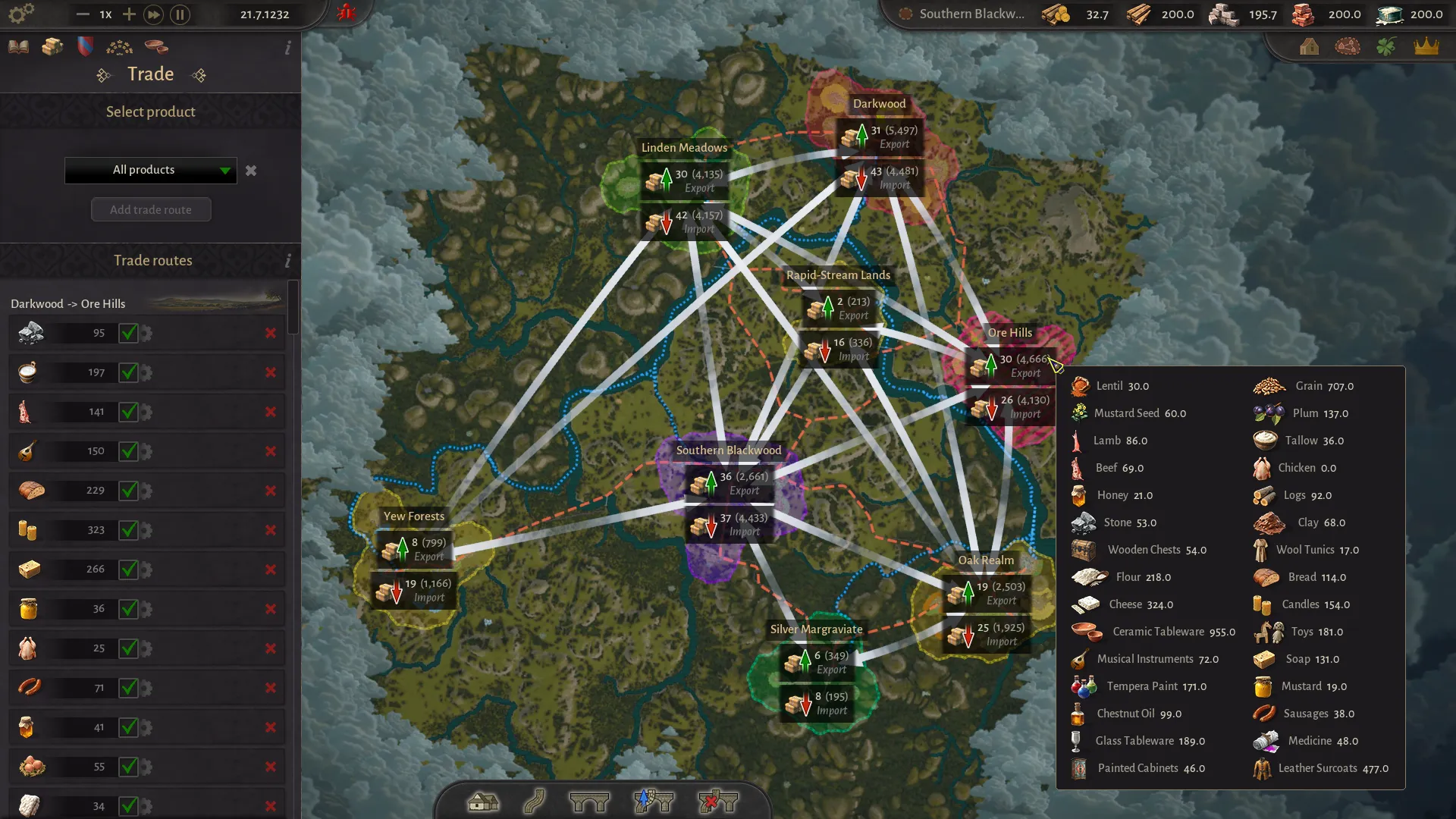
The trade screen lists products on the left and regions on the map. Each region shows exports and imports, which makes it possible to see where a surplus is coming from and where it is going.
- Product list: use the category filter to find food, construction goods or luxuries.
- Add trade route: select a product, then drag from the origin region to the destination.
- Auto-trade: the route adjusts to demand automatically. Start here.
- Fixed volume: set a specific annual amount when you need a guaranteed supply.
- Route list: review existing routes for volume, status and destination.
The trade screen is also a diagnostic tool. If a region shows a large import of a good you thought it produced, the local chain is probably failing. If a region shows zero exports despite a full warehouse, the route or transport is the problem.
Roads, bridges and capacity
Roads have capacity and speed. A dirt road is fine for a young county; a busy artery needs stone. Hover a road to see its traffic bonus, material bonus, total speed and maintenance cost. Damaged roads are slower and can bottleneck a supply chain without any building showing an error.
To upgrade a road, select the upgrade tool, click the start and end points and confirm. You need stone and a mason’s guild to process it. Keep masonry points positive; road maintenance competes with building construction.
Bridges are built before the road crosses water. Stone bridges span longer distances than wooden ones, and the maximum bridge length was increased in a demo update. If a bridge will not place, the span is probably too long or the bank is unsuitable.
| Symptom | Cause | Fix |
|---|---|---|
| Vendors take a long time | Dirt road or long detour | Upgrade the busiest section to stone; shorten the route |
| Goods stop moving | Road damaged or disconnected | Repair with masonry points; reconnect to the market square |
| Road will not cross a river | No bridge | Build a bridge first, then draw the road |
| Bridge will not place | Span too long | Use a stone bridge or find a narrower crossing |
Worked example: moving stone
Your main region has no stone. A region upstream has a stone deposit. Here is the route:
- Found or develop a settlement near the stone deposit in the upstream region.
- Build a stone quarry and enough housing/food to keep it staffed.
- Upgrade a settlement on the navigable river to level two and build a raft port. It must not be at a fork.
- In the receiving region, build a raft port on the same river downstream.
- Open trade, select stone, drag from the upstream region to the downstream region and enable auto-trade.
- Confirm the quarry has surplus and the route is moving. Stone should appear in the receiving region’s storage.
If you need to send goods the other way, the demo cannot do it by raft. Use land trade for light goods, or wait for Early Access ports and sailboats. This is the single most important geographic constraint in the demo.
Troubleshooting checklist
| Check | Question | Fix |
|---|---|---|
| Production | Does the origin have a surplus? | Increase output or reduce local consumption |
| Market | Does the sending region have a small market? | Build one in a level-two settlement |
| Road | Does it reach the yellow market square? | Rebuild the final segment |
| Bridge | Is there a crossing? | Build a bridge before the road |
| River direction | Is the origin upstream? | Move the port or use land trade for light goods |
| Port placement | Is the raft port at a fork? | Relocate it to a clear channel |
| Heavy goods | Is the good logs, stone, clay or sand? | Use the river; roads cannot carry it between regions |
| Receiving building | Does the destination have a market or port? | Build the receiving trade building |
| Capacity | Is the road damaged or overloaded? | Upgrade, repair or add a second route |
Start with a single critical good, confirm it moves, then add the next. A trade screen full of routes is harder to debug than a single lifeline that you know works.
For the production side of the equation, read the production chains guide. For the regional politics that determine who benefits from trade, see the regions guide.
Quick answers
County of Fortune trade questions
How do I trade between regions in County of Fortune?
Upgrade a settlement to level two, build a small market or raft port, connect the regions by road or navigable river, then open the trade screen with T. Choose a product, select the origin and destination, enable auto-trade and create the route.
Why can’t I move stone by road?
Heavy goods such as stone, logs, clay and sand cannot be traded between regions by road in the demo. They require a river route. Load them at a raft port and send them downstream.
Why do my rafts not travel upstream?
Rafts are downstream-only in the demo. Early Access adds ports and sailboats that can move goods both upstream and downstream. For now, place the producing region upstream of the receiving region.
Why does my trade route show no goods?
Check production first, then the route. The origin may lack surplus, the road may not connect to the market square, the raft port may be in the wrong direction, or the receiving region may lack a market or port. The troubleshooting table below lists the usual causes.
Do I need a small market for every trade route?
For land trade, the sending region needs a small market. A raft port can receive goods over land if the sending region has a small market. River-to-river trade needs a raft port at both ends.